
In Nepal, if you are having trouble verifying your PayPal account and creating your ad on Facebook, YouTube, or other social networks, you can easily solve that problem by making a dollar card. Global IME e-com card is a better option than others. Global IME e-com card can be made by loading 5 dollars, in the case of other banks, it is more than 5 dollars like when making a card in a nic Asia bank, you have to load 50 dollars.
Read more: How to Top-up Freefire diamonds In Nepal Using Imepay, Khalti, and Mypay
It’s important to note that you can only apply for and own one dollar card, so choose your bank wisely. Additionally, there is a limit of $500 per year for individual Nepalese citizens using this card. Before using the card, make sure to read all the terms and conditions set by the bank and government. By clicking here, you can read the articles on the regulations prescribed by Nepal Rastra Bank.
| Card Type | Prepaid Dollar Card |
|---|---|
| Bank | Global IME Bank LTD. |
| Charge | Rs 500 |
| Limit | 500$/Year |
| Delivery Time | 1 – 2 weeks |
| Documnets | Documents |
Overview of Global IME E-Com Card
Create | Apply for Global IME E-Com Dollar Card in Nepal
Nowadays, it is easy to get an international e-com card from a bank. Using these cards you can shop online from foreign online stores and e-com cards you can easily apply for them through the bank’s online applications and website without leaving your home.
If you want to apply for a Global IME e-Com Dollar Card, follow these steps:
- Verify your account
- Request a new card
- Upload the required documents
- Submit your contact details
- You’re done!
1. Verify your account
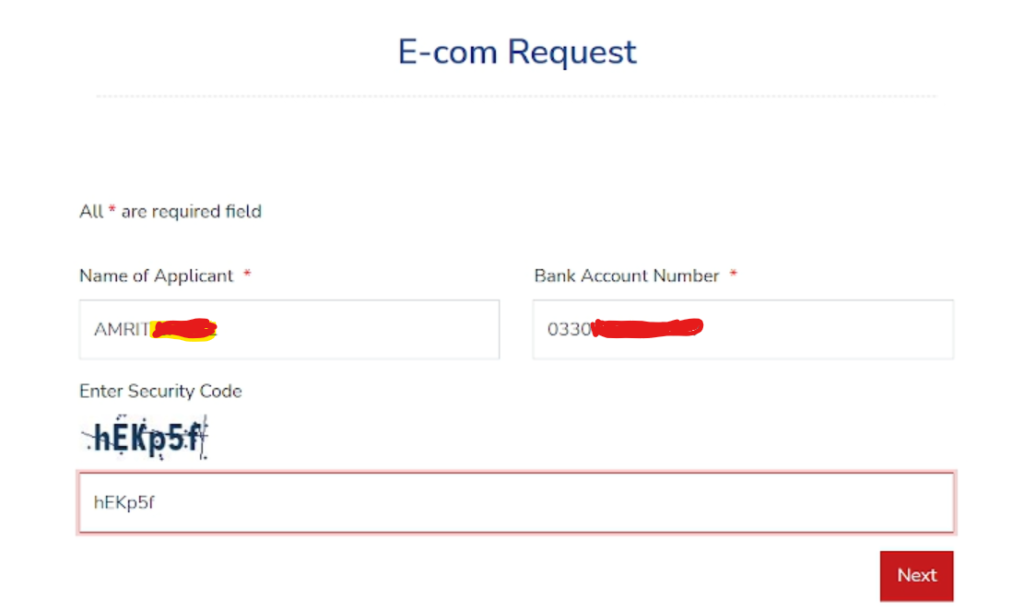
Visit the Global E-Com Card Page and verify your bank account by entering your name and bank account.
2. Request a new card
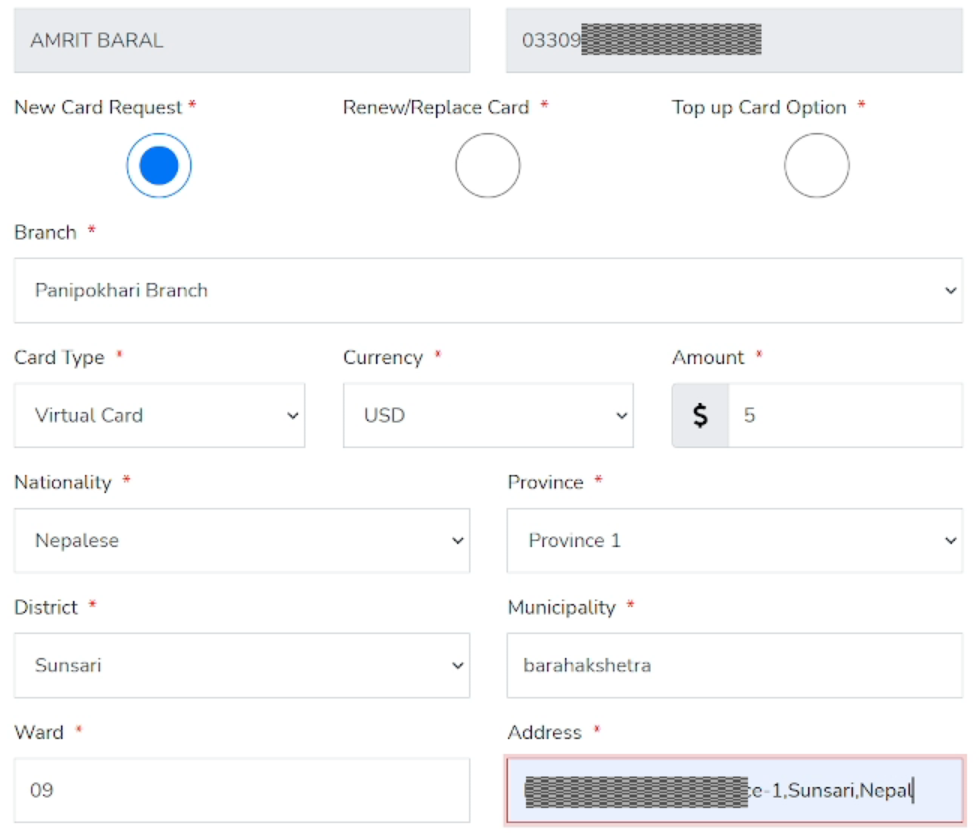
To apply for a Global IME e-com dollar card, select “New Card Request” and choose a branch nearest to you. Then, select the card type (a virtual card is recommended as it’s more convenient, cheaper, and delivered faster to your email address) and the number of dollars you want on your card.
Remember to make sure you have enough balance after conversion.
3. Upload the required documents
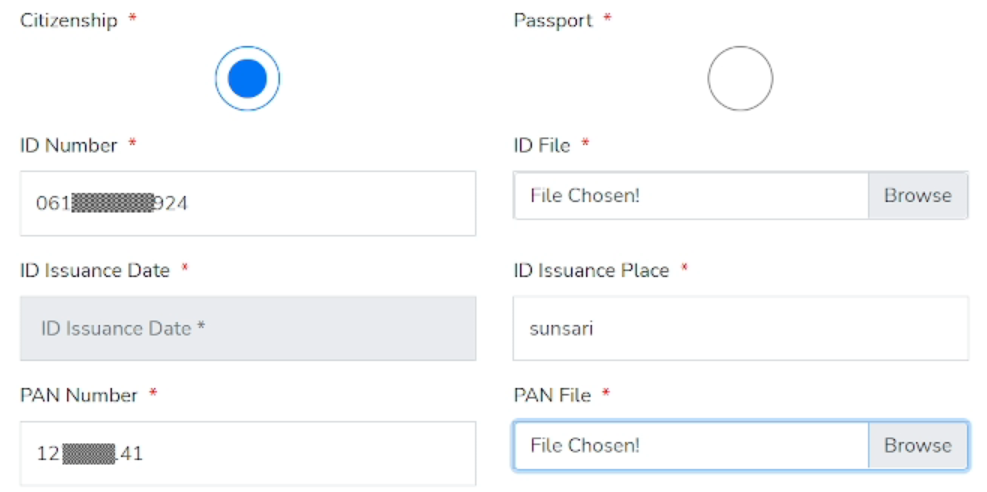
If you are applying for the Global IME e-com dollar card online, you need to upload only two documents, which are your Citizenship ID and PAN card. You can scan these documents using the Google Photos app on the phone and upload them.
4. Submit your contact details
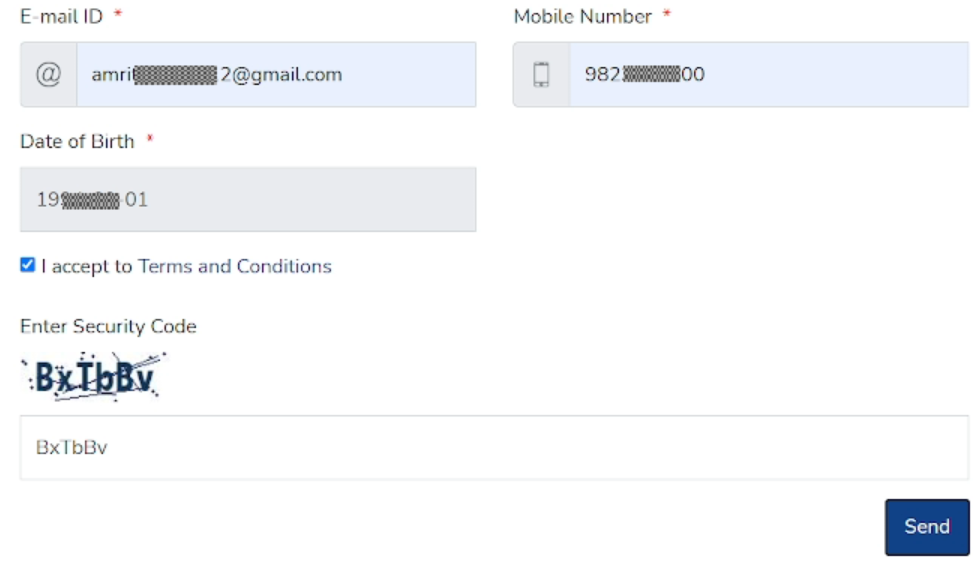
Submit your email address and mobile number. You will receive a verification call from the bank, and if successful, your card details will be sent to your email address. If you apply for a physical card, you must visit the selected bank branch.
5. You’re done!
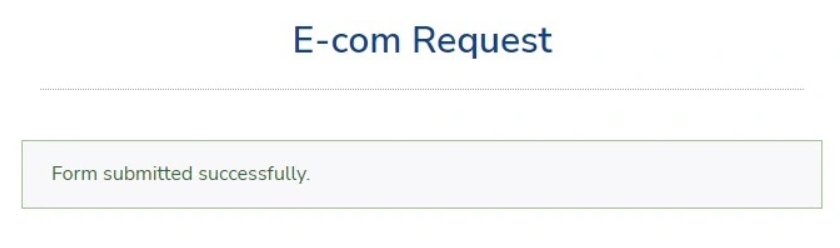
After completing the above steps, your application for a Global IME E-com USD card will be submitted. It only takes a few minutes to complete the application, and you will receive a call from the bank to verify your information.
Pingback: Creating an eBook for Free: A Step-by-Step Guide - Pkpure Kanxa